HOW TO DESIGN WEBSITE
"Make Website using NVU - Website Creator.."
Add IMAGE to your web page
Once more NVU doing its job to make our web design easier. To add image to the content you just need to add a single button. Lets do this step by step.
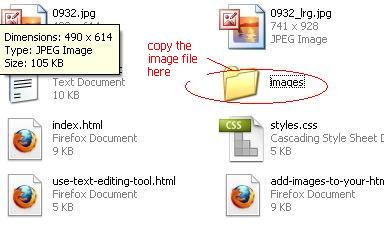
1. Copy the image you want to add to the images folder, which on same folder with index.html
2. Now, place your cursor on the place you want to add the image. then click this image button toolbar

3. The image window will show up. Select file you like from the images folder you set on step 2, insert alterate text, then click ok.
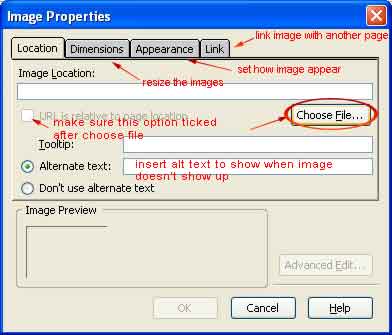
4. Set up all the necessary option, then you are done.
Donate: If you use this site regularly and would like to help keep the site on the Internet, please consider donating a small sum to help pay for the hosting and bandwidth bill. There is no minimum donation, any sum is appreciated - click button below to donate using PayPal. Thank you for your support.